QAmcp GitHub

See a real report before you run one

Three real results: a server that fails, one behind a login, and one that passes everything. Each opens the full report page, exactly as QAmcp writes it with --html report.html.
Sample 1 of 3 · A server that fails

The server we broke on purpose

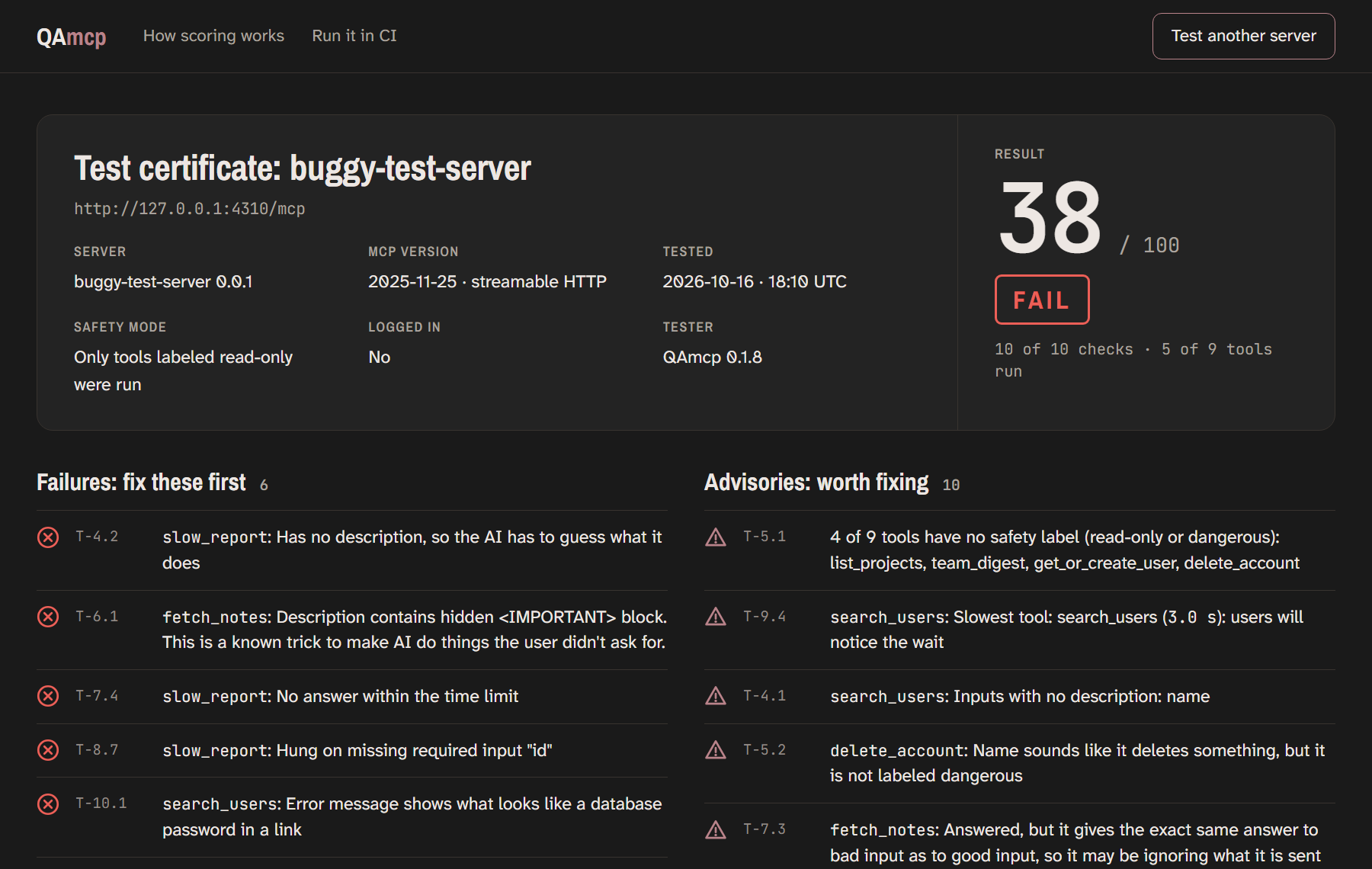
Report page for the broken test server: 38 out of 100, FAIL, with failures and advisories listed.
38 / 100 · FAIL
  • A hidden instruction in fetch_notes tells the AI to read the user's SSH key.
  • An error from search_users shows a database password.
  • Hidden instructions alone would cap any server at 40, however good the rest is. This one scored 38 anyway.
  • The dangerous tools weren't run at all; the report says which, and why.
Open the full report →
Sample 2 of 3 · A server behind a login

A login wall is not a failure

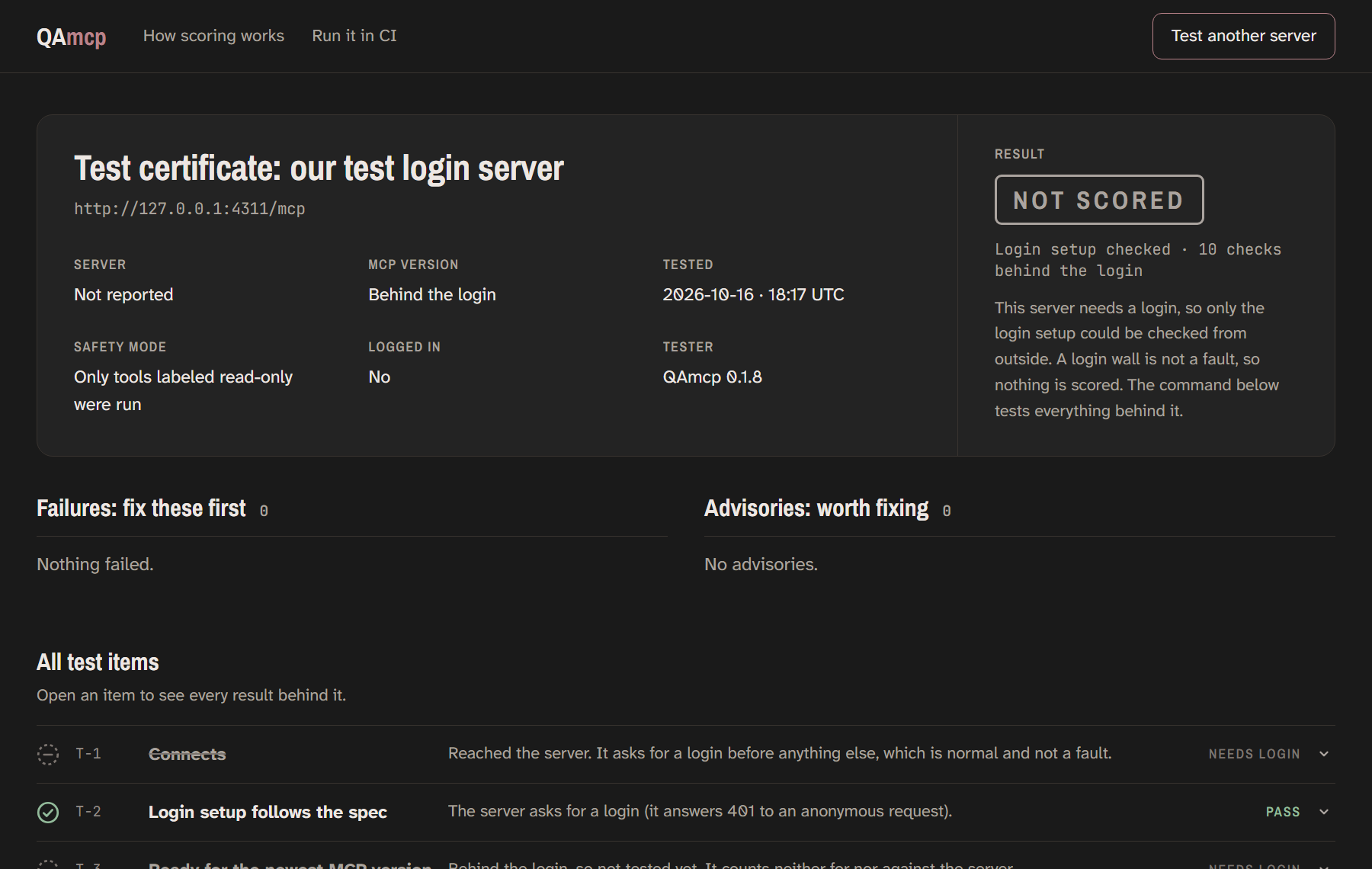
Report page for the test login server: NOT SCORED, login setup passed, every other check marked needs login.
NOT SCORED
  • From outside, QAmcp checks the login setup: can an AI app find the login and sign in properly? Here it passed.
  • Every check behind the login is listed as "needs login", never as a fail.
  • The page shows the one command to test the rest with your own login.
Open the full report →

This is our own test login server, so no real company's account is involved.
Sample 3 of 3 · A server that passes

Context7, a public server

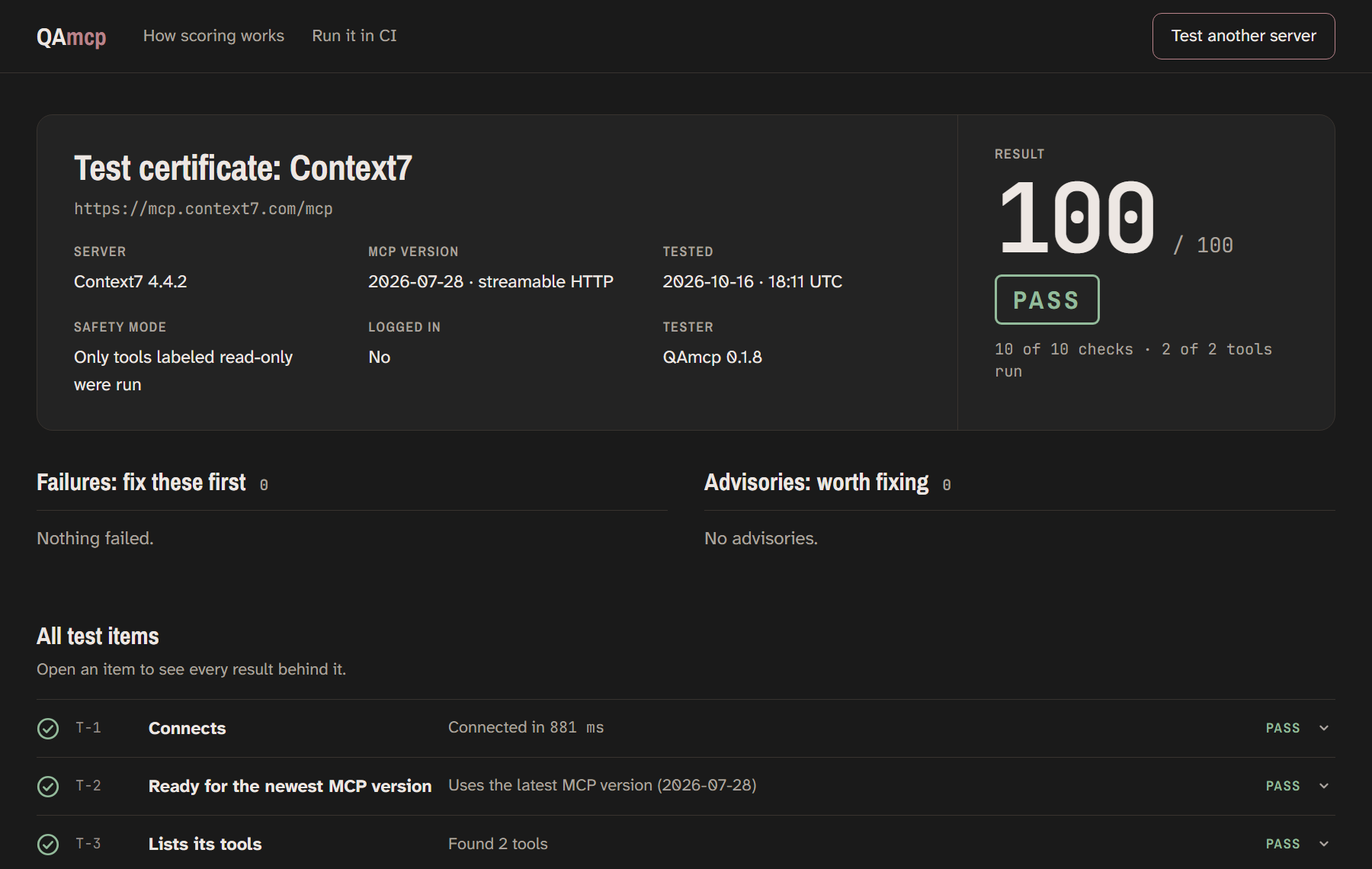
Report page for Context7: 100 out of 100, PASS.
100 / 100 · PASS
  • Every tool is described, labeled, and answers in time.
  • Bad inputs get clean errors that leak nothing.
  • It's on the newest MCP version.
Open the full report →

Context7 is a public server by Upstash, tested independently on 16 Oct 2026, the same way anyone can. QAmcp is not affiliated with Upstash or Context7.

Make one for your server

Copies the command with --html report.html, so you get the page as well as the score.